

- Track the prompts that matter
- Understand your visibility baseline
- Generate your first brief to start improving visibility.
1) Add your first prompts
Prompts are the questions you want to win in AI assistants. The quality of your prompts determines how useful your dashboards will be. Go to Analytics → Prompts, review the initial prompts generated, and add 10–25 prompts to start.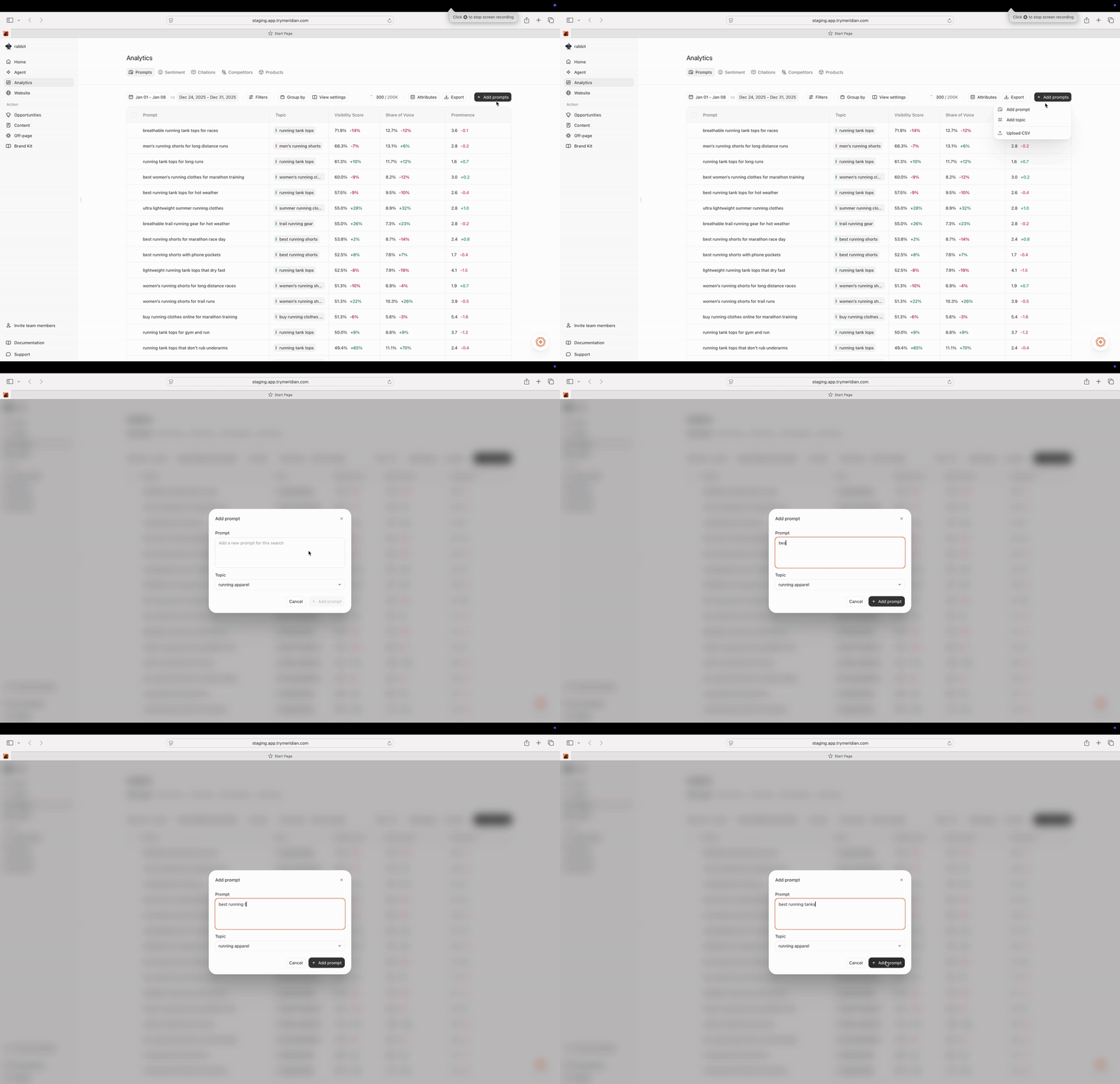
What good prompts look like
Use conversational questions that match how people ask AI tools for recommendations:- “best __ for __”
- “top ___ tools/platforms”
- “__ vs __”
- “___ for beginners”
- “how do I choose ___”
- “is ___ worth it”
The best way to think about your prompt list is: These are the types of queries you want to appear more for in AI search. From here we’ll start tracking and improving on them. Add queries across top, middle, and bottom of funnel.
What to avoid (for now)
- Purely branded prompts only (e.g., “What is trymeridian.com?”). These are helpful later, but they won’t tell you whether you’re being discovered.
-
Prompts extremely specific to your brand (e.g., “What is the best GEO platform based in New York that starts with the letter ‘M’)
Adding prompts that you already have high visibility means we’ll only be trying to increase visibility in queries that you already appear for. - Prompts that are too broad (e.g., “crypto” or “marketing”). Broad prompts are hard to act on because the answer criteria varies a lot.
2) Set your competitor context
Meridian is comparative by nature because AI answers often return lists. Adding competitors helps you understand who is being recommended alongside you (or instead of you). Go to Analytics → Competitors and add 3–8 true substitutes.
Tips for competitor selection
- Pick companies your customers would genuinely consider instead of you.
- You can always adjust this later as you learn who shows up in answers.
3) Check Home to establish your baseline
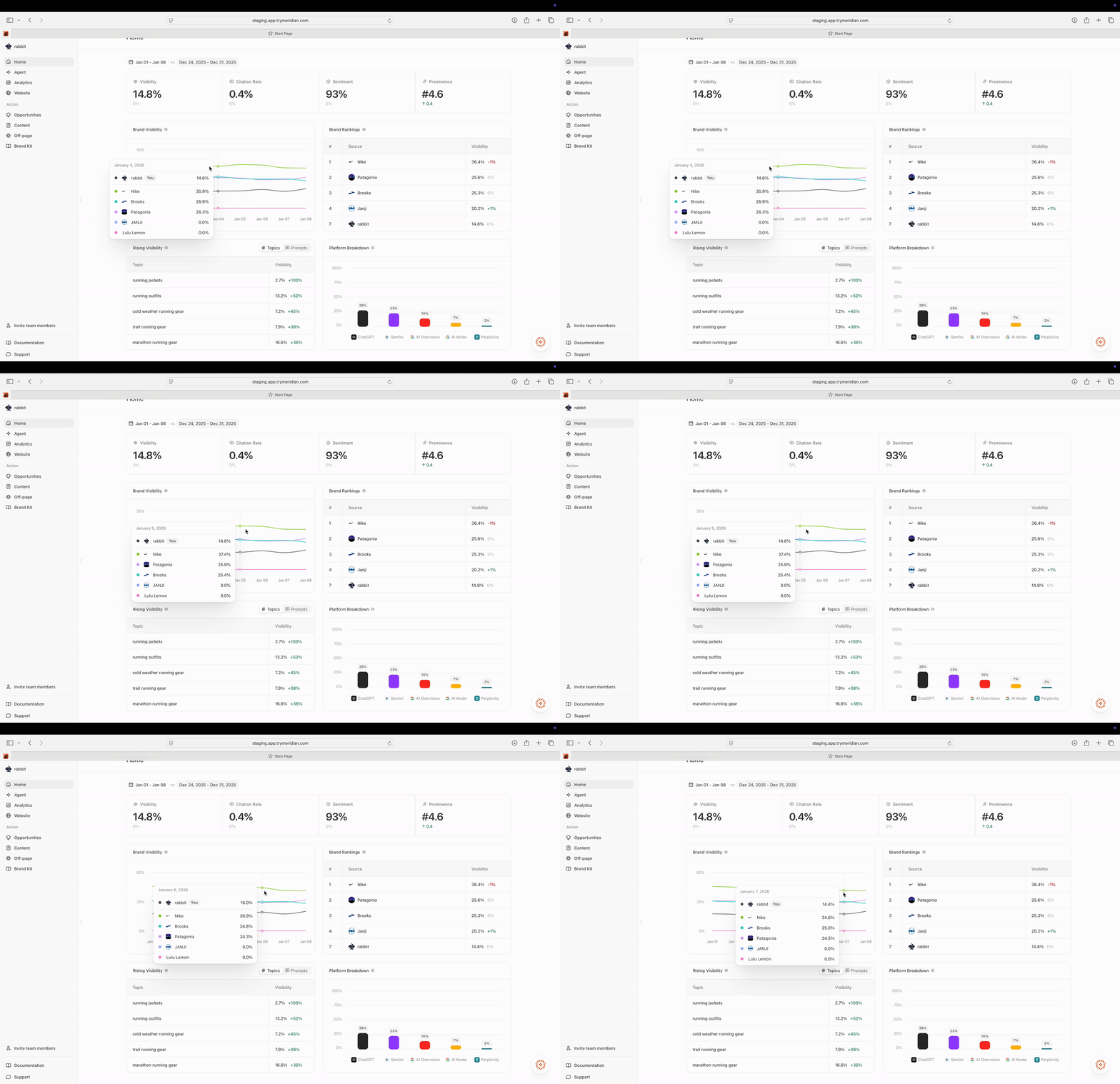
- Visibility: how often you’re mentioned across your tracked prompts
- Citation Rate: how often answers include sources
- Sentiment: how AI describes you across decision-driving dimensions
- Prominence: your average rank when you’re mentioned
We add data every day. Wait for a few days of data to really understand your baseline. As more data is populated, use “Prev. Period” to compare against the previous time window of the same length. This is the simplest way to see whether you’re trending in the right direction.
What to do if your baseline looks low
That’s the best starting point. We want to add prompts where you want to increase visibility in, instead of solely prompts you’re already showing up for. Low baseline usually means one of:- You’re not included in answers yet (coverage/authority gap),
- Competitors have stronger source presence (citation gap),
- Or your website/content isn’t structured to be cited (site readiness gap).
4) Investigate one important prompt
Go to Analytics → Prompts and pick a prompt that matters to your business. Then:- Open the prompt’s analysis (press Analyze)
- Find a run where you were not mentioned or ranked low
- Open the run details to see:
- Who outranked you,
- What criteria the answer used,
- And which sources were cited
 This gives you immediate clarity on what is driving your current rank: sources, structure, narrative, or product coverage.
5) Add your Brand Kit (so outputs are accurate and on-brand)
Go to Brand Kit and fill out the basics before you generate content.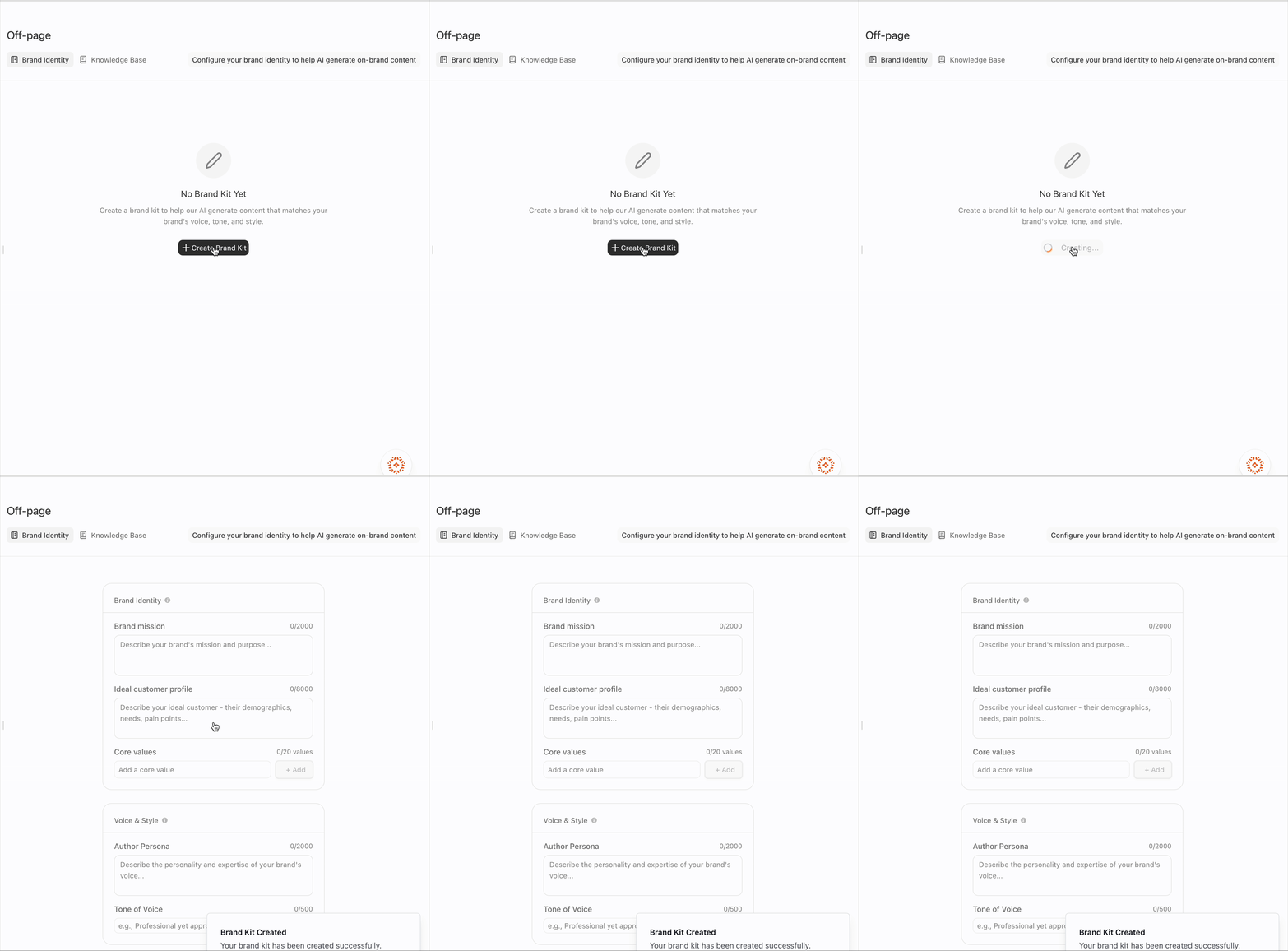
- Positioning (1–2 sentences) Who you are, who you’re for, and what you do.
- Key differentiators (with proof where possible) List 5–10 differentiators that matter for “best X” prompts (price, trust, support, speed, etc.). Include links to source pages if you have them.
- Approved vs disallowed claims Write down what content can safely say and what it must not say. This is especially important in regulated or high-stakes categories.
- Voice & style guidelines A few rules like “short sentences,” “use bullets,” “include decision criteria tables,” “avoid vague superlatives.”
- (Optional) Writing samples Add 1–3 samples so Meridian can match your tone.
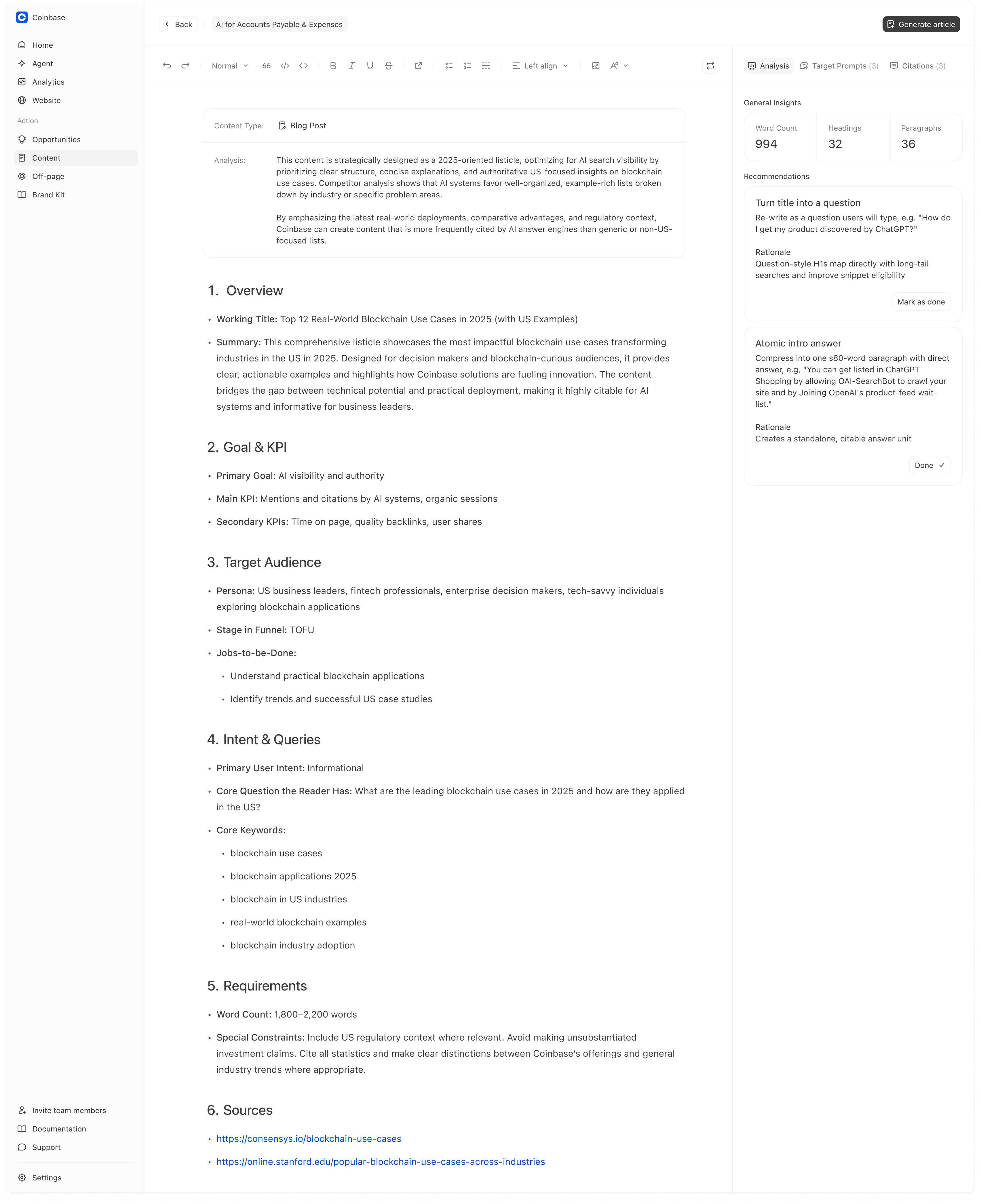
6) Generate your first brief (and optionally an article)
Go to Opportunities and pick one “High” priority recommendation.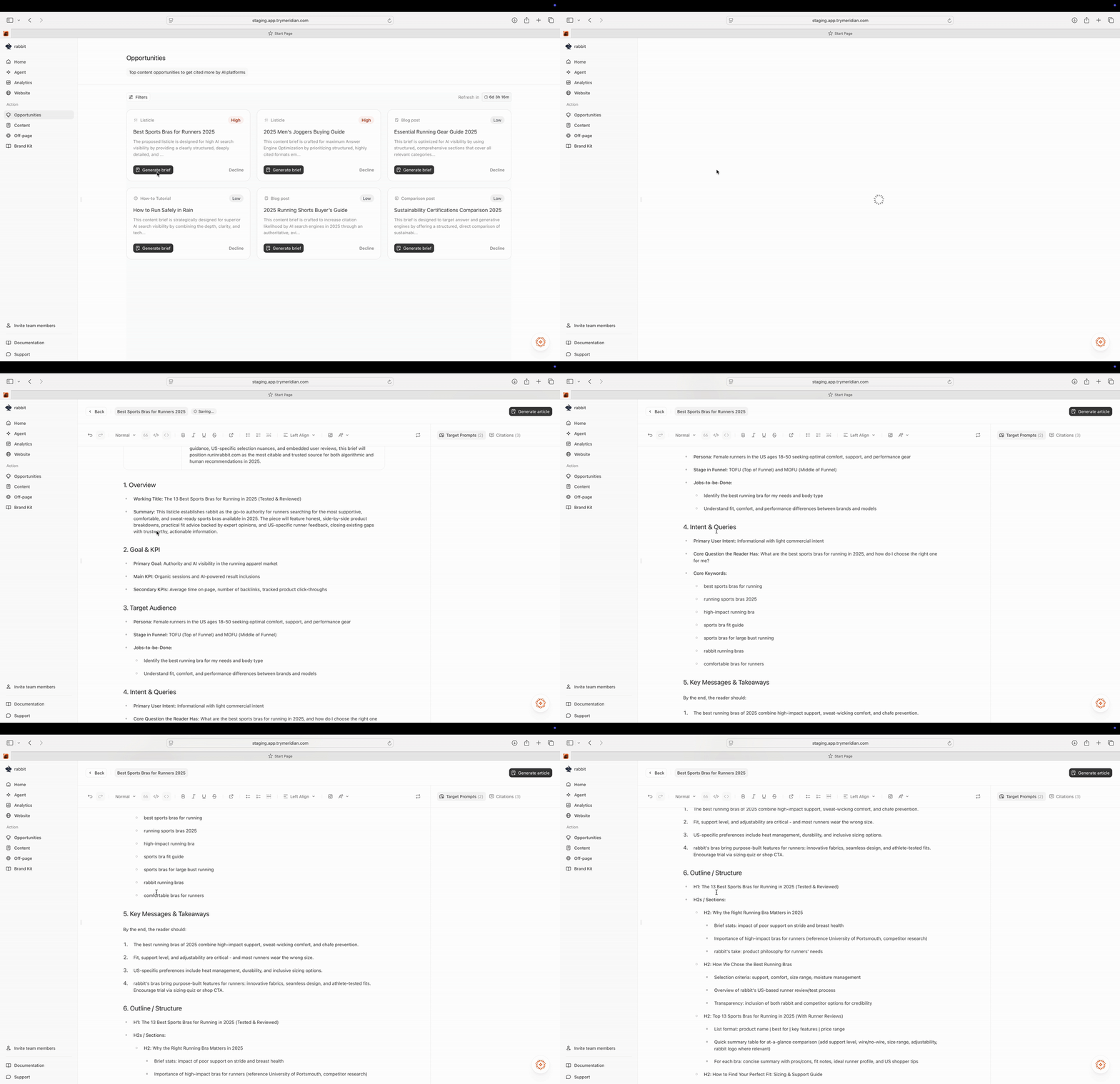
- Review the structure and target intent
- Generate an article draft
- Refine it
- And publish it in your website
7) Improve your website readiness (fast win)
Go to Website → Pages. This is where Meridian scores your site for AI discovery and citation-readiness.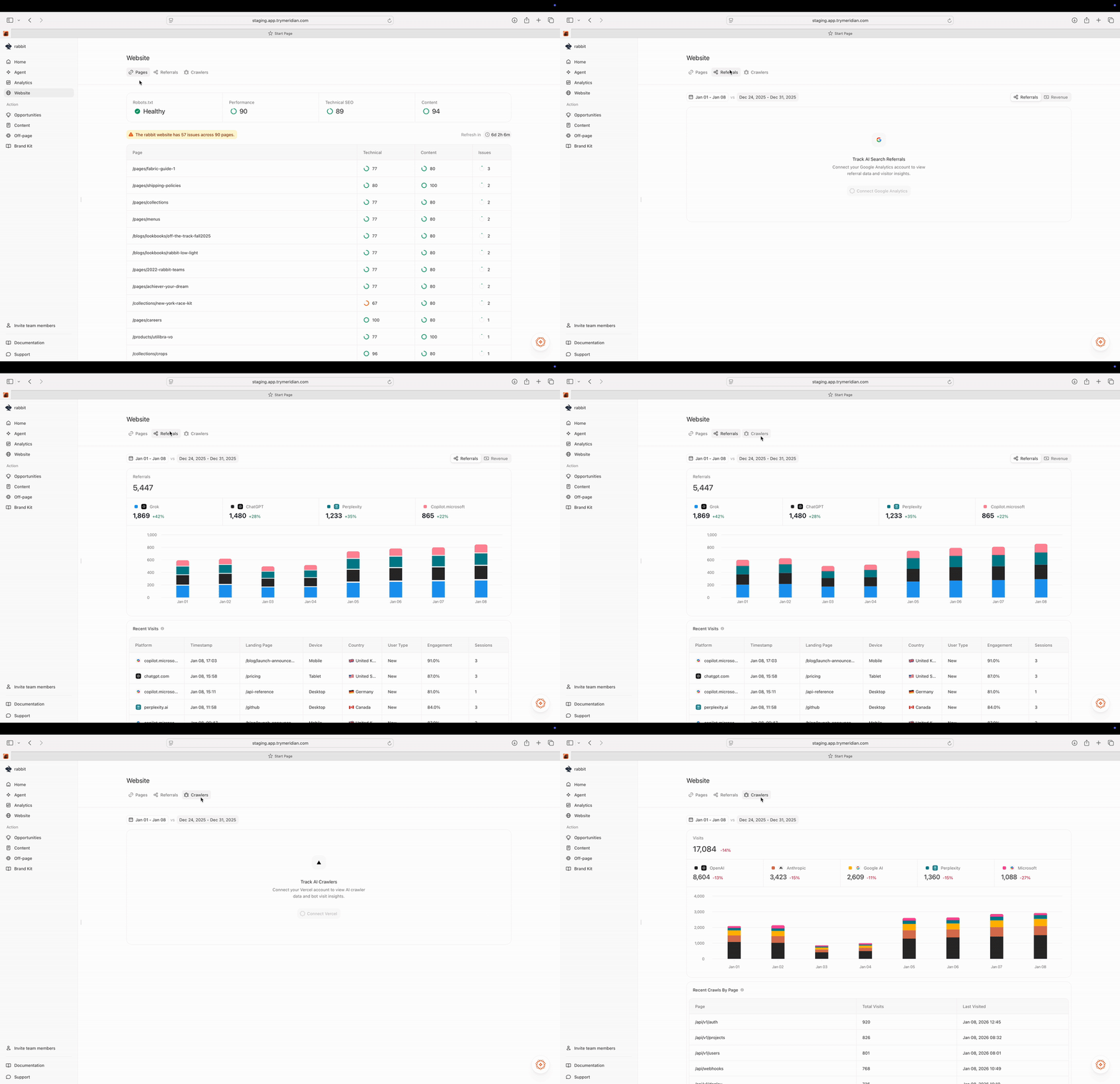
- A page that matters to your business (product/category/guide)
- A page with a higher issue count or lower Technical/Content score.
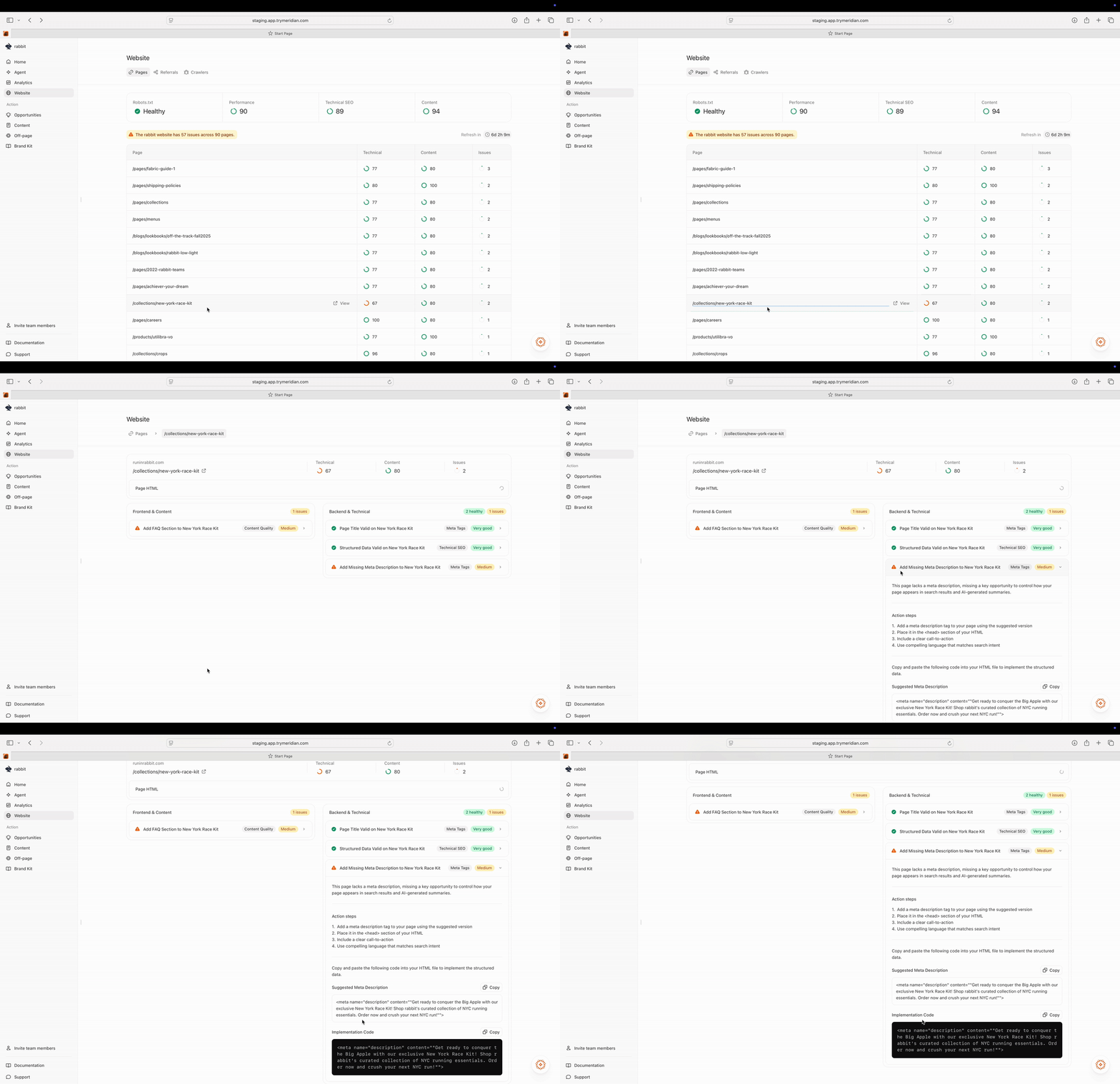
- Review the recommended fix and why it matters
- Follow the step-by-step action steps Meridian provides
- Implement the change on your website (in your CMS or codebase)
8) Capture quick wins with Off-page (Editorial, Directories, Social)
Go to Off-page and pick one surface to work on this week. Off-page is where you earn mentions in the sources AI already trusts for your prompts. A good default is to spend 15–30 minutes and pick a small set of targets you can actually complete.Editorial (lists and articles)
Go to Off-page → Editorial and pick 3–5 high-impact targets. Editorial is a list of third-party articles that are actively being cited for your tracked prompts. If competitors are included and you are missing, requesting inclusion can be a fast way to improve the source ecosystem AI pulls from. When you reach out, include:- who you are and who you’re for,
- why you belong in the list,
- what differentiator matches the criteria,
- and a credible source page that supports the claim.
Directories (structured listing sources)
Go to Off-page → Directories and pick 3–5 directory targets. Directories can be high leverage because listings are structured and easy for AI to summarize. When you create or update a listing, focus on adding specific, on-brand language:- what you do and who you’re for,
- your differentiators (with proof where possible),
- and “best for” positioning that matches how people choose in your category.
Social (UGC and community)
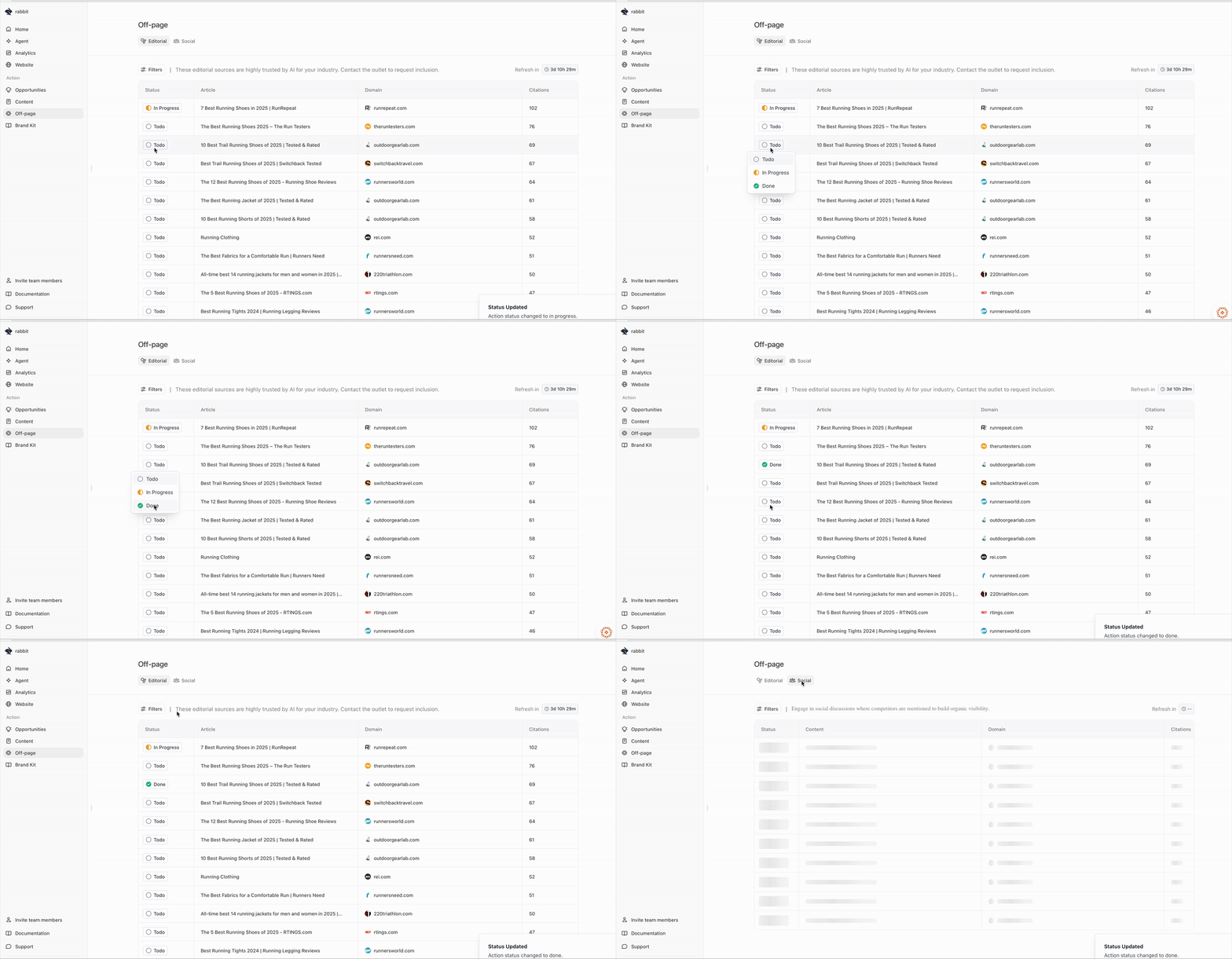
- participate in existing threads that AI is actively citing for your prompts, and
- use those threads as inspiration for what to post next (and where) on your own social channels.
Off-page targets update weekly based on your prompt set. If you change or expand your prompts, your best editorial/directories/social targets can change too.
9. Import your products for SKU-level visibility (For Ecommerce only)
If you sell physical products that can appear in shopping-style AI results (product cards), you can import your catalog so Meridian can track product-level outcomes. Go to Analytics → Products and connect your store to import SKUs (currently Shopify).
- Products shows which SKUs are being mentioned vs not mentioned for your tracked prompts.
- You can click See responses to understand which prompts trigger recommendations, what criteria the answer uses, and which competitors appear instead.
Products depends on your prompt set. If you don’t track category/product prompts (for example “best basketball shoes”), you will almost certainly see many products marked Not mentioned.A good setup is to create a Topic per category and track ~10 prompts per topic.