

When to use Sentiment
Sentiment is most useful when:- Your prominence worsens even though visibility is stable (you’re included, but not preferred).
- You notice a drop in the Sentiment KPI on Home.
- You want to understand why a competitor is consistently ranked above you (the answer criteria often includes narrative signals).
- You suspect a specific objection is hurting you (pricing, reliability, trust, customer support).
How to read the Sentiment page
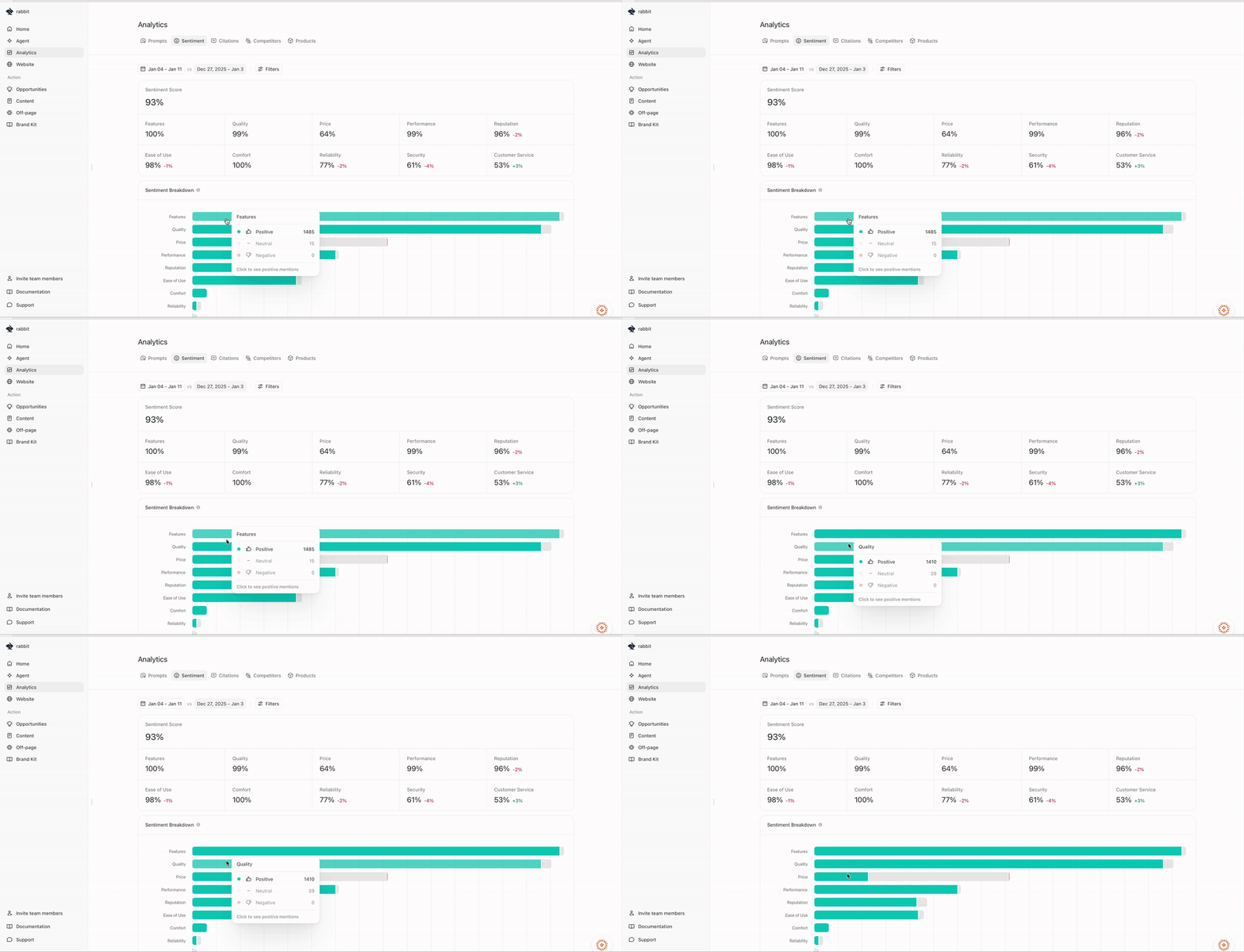
Overall sentiment score
At the top you’ll see an overall Sentiment Score for the selected time range, with a period-over-period change. This gives you a directional read: “Is AI describing us more positively or more negatively than last period?”Dimension tiles (the actionable part)
Below the overall score, you’ll see dimension scores (for example: Security, Reputation, Ease of use, Features, Reliability, Customer service, Fees, Price, Quality, Performance). These are usually more actionable than the overall score because they tell you what AI repeatedly emphasizes. If one dimension is much lower than others (for example, Fees or Customer service), it is often the best place to start.Sentiment Breakdown chart
The Sentiment Breakdown visualizes positive/neutral/negative mentions by dimension.- Green indicates positive mentions.
- Gray indicates neutral mentions.
- Red indicates negative mentions.
Filters (focus your analysis)
Everything in Sentiment respects your filters. Use the controls at the top of the page to narrow what you’re inspecting—for example:- specific topics or prompts,
- a specific AI platform/model,
- a specific date range (and Prev. Period),
- or other segments you’ve set up.
Drilling into a dimension
Click a dimension (for example, Security) to see the run-level evidence behind it. This drilldown is where Sentiment becomes actionable, because you can review:- which runs contained negative mentions,
- which platforms those mentions came from,
- and what the responses actually said.
